04 EKS Networking Lab 2
EKS Study note
This lab is the continuation of 03 EKS Networking Lab 1. You need to provision an EKS cluster by following the instruction in the lab 1.
1. AWS VPC CNI Configuration Change
Check the current environment of aws-node DaemonSet:
kubectl get ds aws-node -n kube-system -o json | jq '.spec.template.spec.containers[0].env'
...
  {
    "name": "WARM_ENI_TARGET",
    "value": "1"
  },
...
Turn off WARM_ENI_TARGET and turn on WARM_IP_TARGET and MINIMUM_IP_TARGET in eks.tf:
  addons = {
    coredns = {
      most_recent = true
    }
    kube-proxy = {
      most_recent = true
    }
    vpc-cni = {
      most_recent = true
      before_compute = true
      configuration_values = jsonencode({
        env = {
          # WARM_ENI_TARGET = "1" # 현재 ENI 외에 여유 ENI 1개를 항상 확보
          WARM_IP_TARGET  = "5" # 현재 사용 중인 IP 외에 여유 IP 5개를 항상 유지, 설정 시 WARM_ENI_TARGET 무시됨
          MINIMUM_IP_TARGET   = "10" # 노드 시작 시 최소 확보해야 할 IP 총량 10개
          #ENABLE_PREFIX_DELEGATION = "true"
          #WARM_PREFIX_TARGET = "1" # PREFIX_DELEGATION 사용 시, 1개의 여유 대역(/28) 유지
        }
      })
    }
  }
Terraform apply:
terraform plan
terraform apply -auto-approve
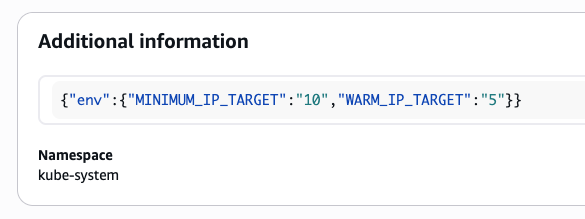
Confirm the changes in the console: EKS > addon > vpc-cni