02 Networking
EKS Study note
Summary
blank
1. Kubernetes Networking Model
The Services, Load Balancing, and Networking page in the k8s official doc describes the following requirements for Kubernetes networking:
-
Pod: All pods can communicate with all other pods, whether they are on the same node or on different nodes. Pods can communicate with each other directly, without the use of proxies or address translation (NAT). -
Service: The Service API lets you provide a stable (long lived) IP address or hostname for a service implemented by one or more backend pods, where the individual pods making up the service can change over time. -
Gateway: The Gateway API (or its predecessor, Ingress) allows you to make Services accessible to clients that are outside the cluster. -
NetworkPolicy: NetworkPolicy is a built-in Kubernetes API that allows you to control traffic between pods, or between pods and the outside world.
The following sections are about how AWS EKS implements these requirements. Let’s dive in the pod network.
2. Pod Network
Let’s revisit the requirement for the pod networking:
All pods can communicate with all other pods, whether they are on the same node or on different nodes. Pods can communicate with each other directly, without the use of proxies or address translation (NAT).
Multiple IPs in a single node
In computer networking, if a host wants to talk to others, an IP address should be assigned to the host. Since a pod is the smallest unit for k8s networking, each pod should be assigned an IP address. But if you recall a networking 101 class you ever took in the past, a unit for the IP address is usually a single device(server, PC, router, etc), and thus programs in my laptop communicates each other by localhost(127.0.0.1). In k8s, a node is a single server and houses multiple pods. How could a single pod get assigned an IP and thus how does a single node end up with multiple IPs?
It turns out the smallest unit for the IP address assignment is not a single device but Network Namespace. Each network namespace has at least one network interface, an IP address, a port, and a routing table. In other words, network namespace is the smallest networking unit. Obviously, OS in a single node allows multiple network namespaces. In the k8s context, each pod is running under its own network namespace, with a set of network interface, IP addresses, ports, and routing tables.
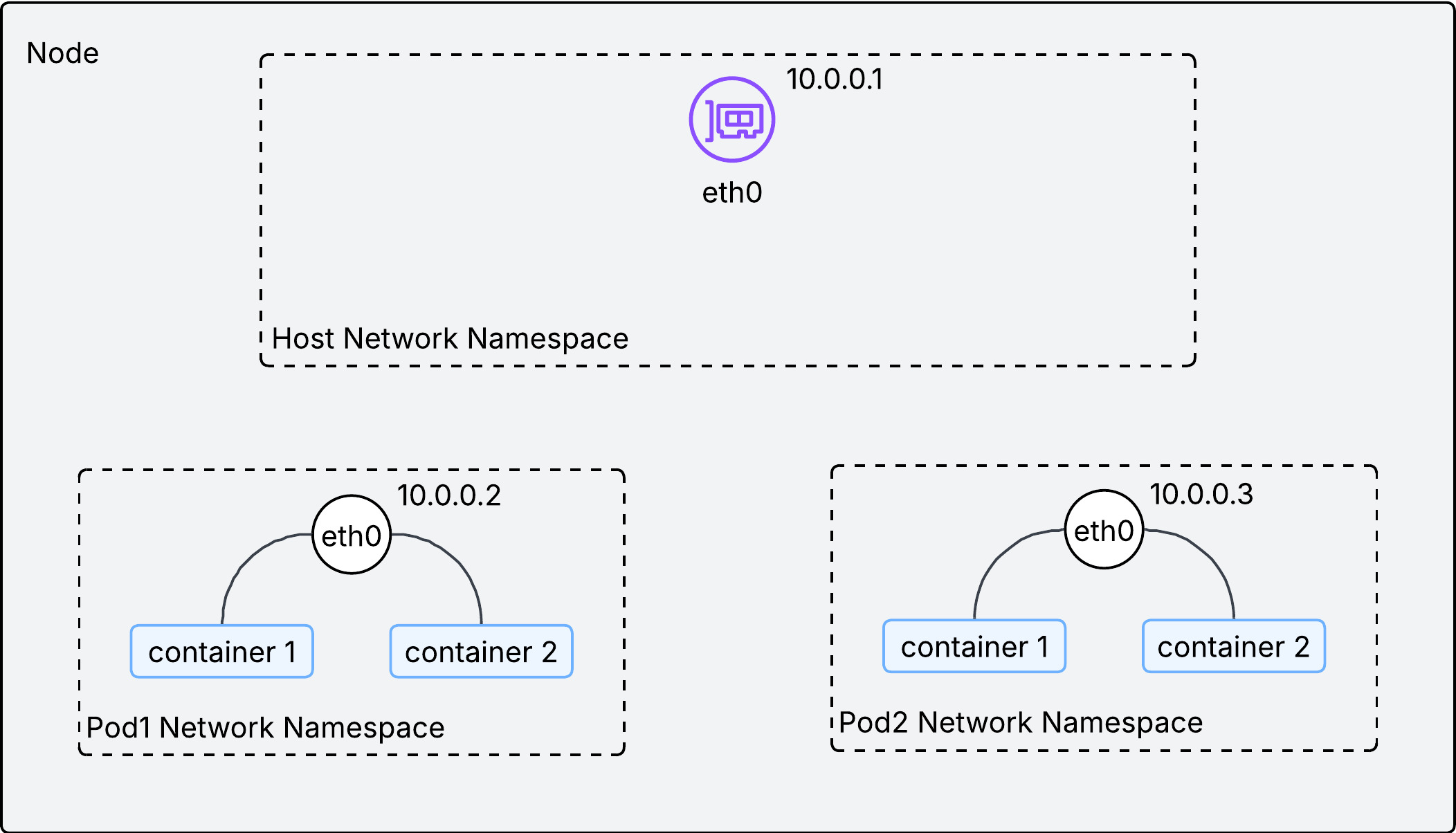
As described in the above image, a single IP address is assigned to each network namespace(or pod) in a node. With an IP address on each pod, how could we facilitate communications between them inside the node?
Communication within a node
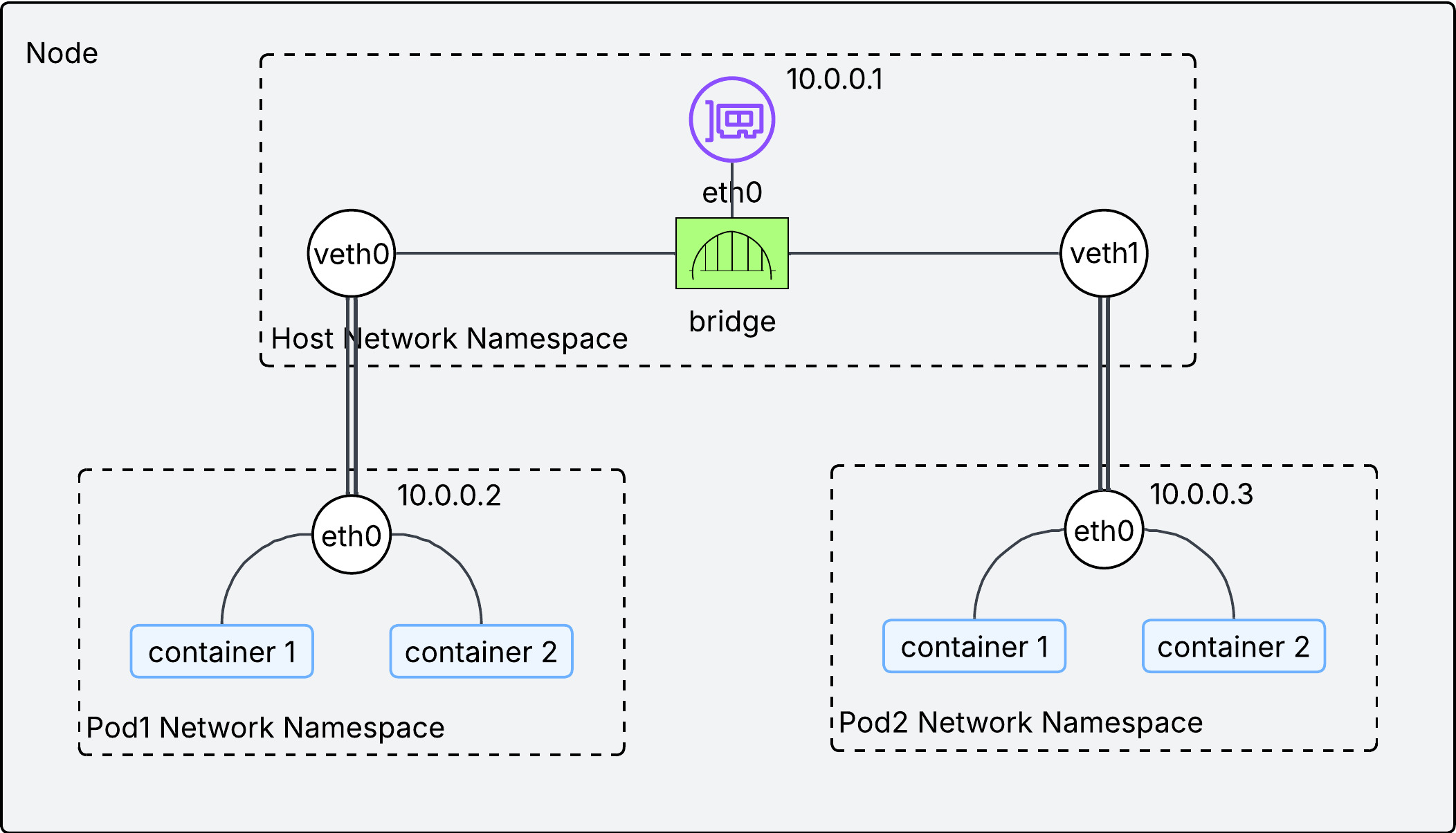
Two technologies are used to facilitate communication inside the node:
-
veth pair: Think of it as a virtual ethernet cable. Each end is connected to a different network interface. If a packet comes into one end, it goes out the other end. -
bridge interface: It works as L2 switch, connecting pods within a single node. This is implemented by CNI plugins.
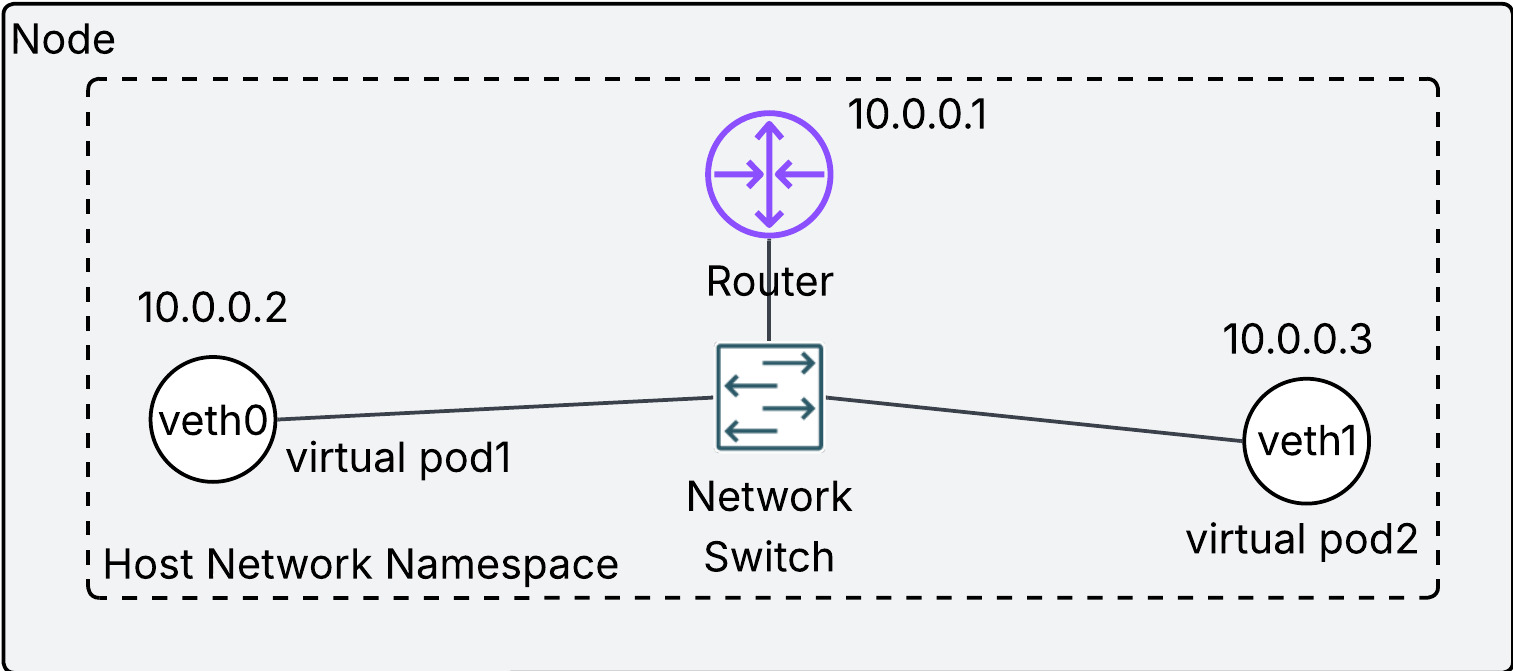
If the above diagram looks confusing, try to understand it this way:
- each virtual network interface(
veth0andveth1) is the representation of a pod in a node. - the physical network interface in the node(
eth0) is a router in a node. - They are connected by the network switch(bridge interface).
- Overall, the entire diagram looks like a home network.